 mobile.de Sync
Admin
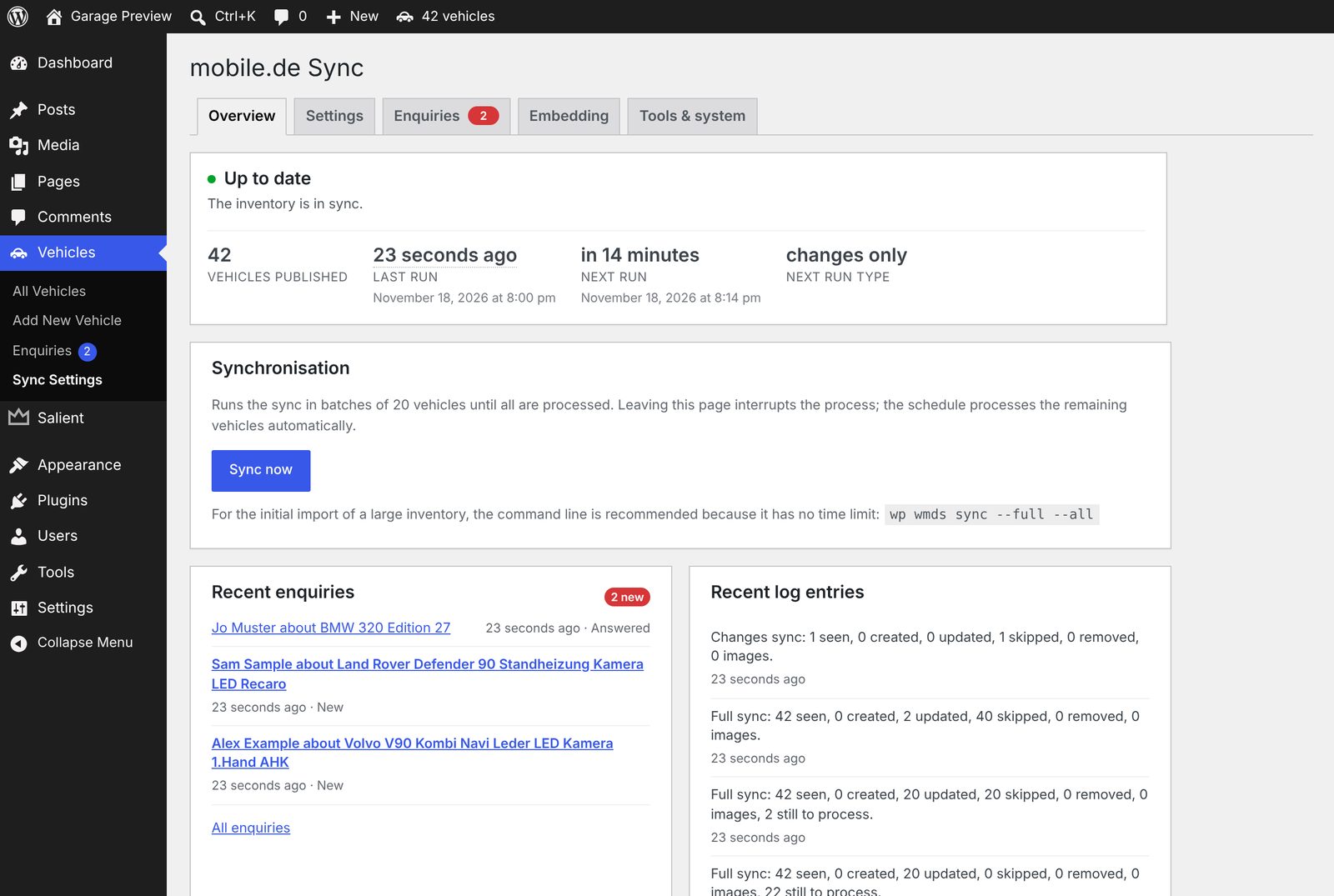
The settings tabs, admin bar, dashboard widget, vehicle list.
One verdict, everywhere
The sync has one health verdict — not configured, running, waiting for the first run, in progress, overdue, last run had failures, up to date — and every surface reads it from the same place, so they cannot contradict each other:
- an admin bar item with the inventory size and a coloured state, in the back end and on the front end. Its menu carries the last result, the time until the next run, Sync now, and on a vehicle page a link to the source ad plus a reload for that one vehicle
- a dashboard widget with the newest vehicles — photo, price, mileage, first registration — configurable in count and sort order
- an entry in "At a Glance" with the number of published vehicles
- a notice on every admin screen when the sync needs attention, dismissible, and re-armed when the state changes to something else
The settings screen
Vehicles → Sync Settings has five tabs:
| Tab | Holds |
|---|---|
| Overview | the status, the getting-started checklist, Sync now with live progress, the newest enquiries and log entries — the page it opens on |
| Settings | credentials and which inventory, interval and label language, the address on the site, similar vehicles, notifications about problems |
| Enquiries | the form on a vehicle page, its recipients and privacy notice, mail delivery and the test mail |
| Embedding | blocks, shortcodes and widgets; Contact Form 7 and FacetWP |
| Tools & system | the connection test, maintenance, the log, the server requirements, version and help |
Sync now drives one batch per request and shows real progress instead of a spinner over a request that may time out. The log can be filtered down to problems, downloaded and cleared. Maintenance offers forcing a full sync, re-fetching the reference data, deleting pictures of vehicles that are no longer on the site, and releasing a lock a killed run left behind.
Vehicles and enquiries
The vehicle list shows photo, make and model, price, mileage, first registration and the mobile.de ad ID. Price, mileage and first registration are sortable; vehicles missing the sorted-on value stay in the list rather than falling out of it. A filter by make sits next to the date filter, and each row offers Reload from mobile.de and View on mobile.de.
The edit form says outright that the importer owns the record, and a meta box shows the ad ID, the modification date, the number of imported photos and a button that re-reads this one vehicle.
The enquiry list shows status, contact and vehicle, with Reply and Mark as answered on every row. The count of unanswered enquiries sits next to the menu entry. See Enquiries.