 mobile.de Sync
A dealer's mobile.de inventory on a WordPress site — synced, searchable and ready for enquiries.
The plugin reads a dealer's inventory from the mobile.de Search API on a schedule and keeps it in WordPress as ordinary posts: every listing becomes a vehicle page, every sold vehicle disappears again. It brings its own vehicle overview with filters, a detail page with gallery and enquiry form, blocks and shortcodes — and works with any theme, including block themes.
Highlights
Sync that looks after itself
- Changes-only runs on a schedule (every 5 minutes to once a day), a full reconciliation daily.
- A vehicle taken off mobile.de leaves the site with the next run — each run compares the size of the inventory and reads the full listing when it differs.
- Large inventories are processed in batches across several runs; nothing times out.
- Three guards against mass deletion, a lock against overlapping runs, a log, and an e-mail when the sync stops.
A website that is ready
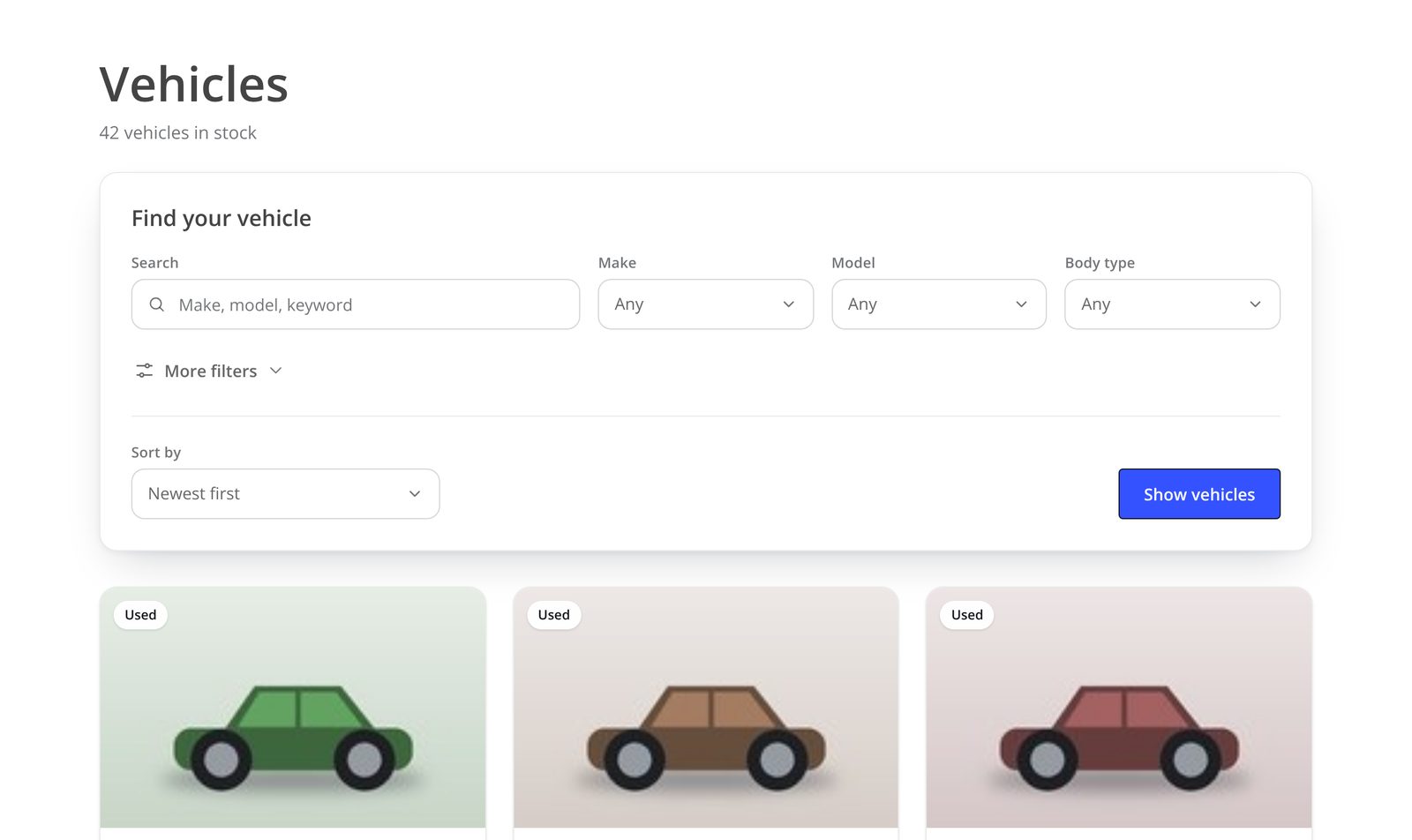
- Vehicle overview at
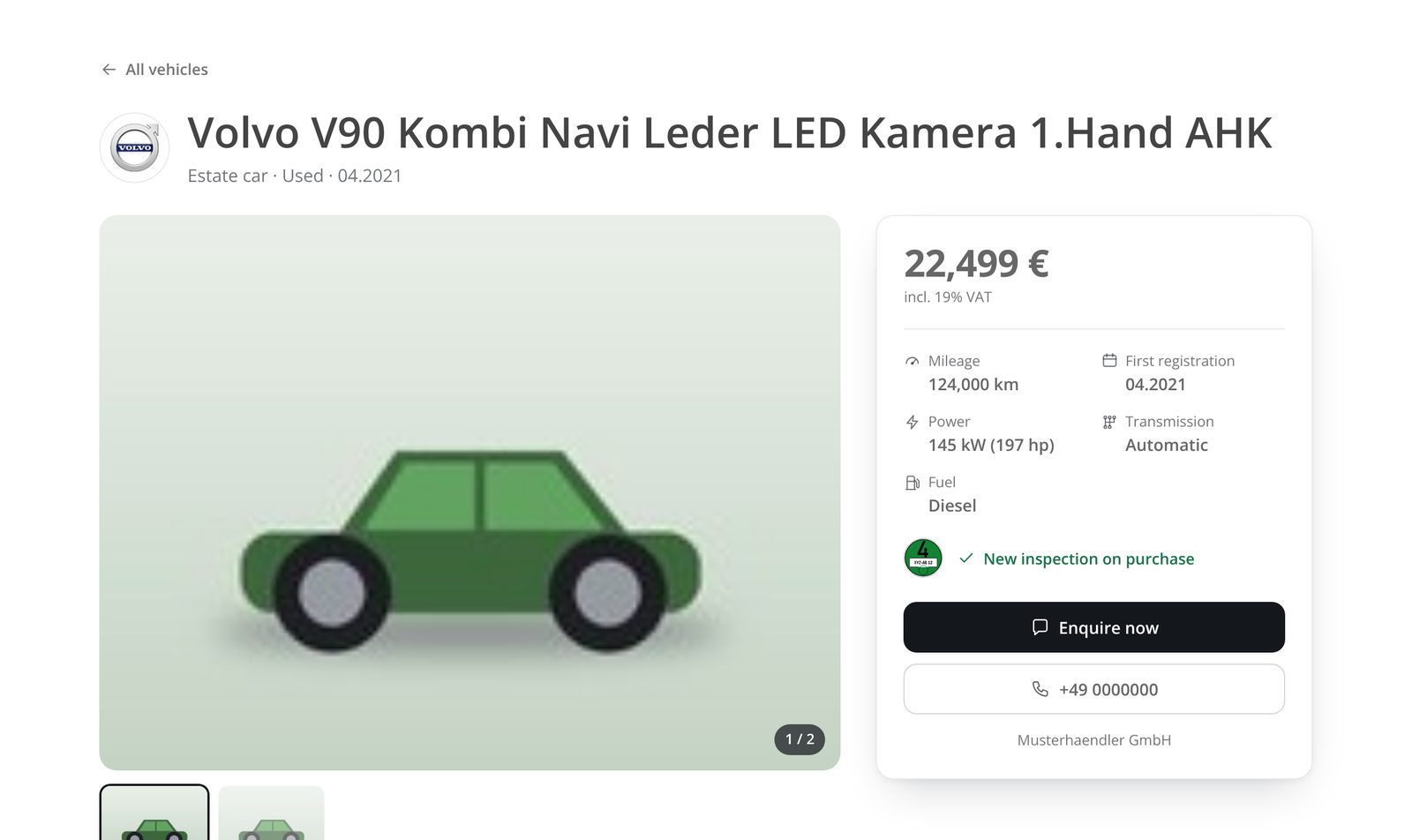
/fahrzeuge/with search, dropdowns, checkboxes and range sliders — counts per option, filters in the URL, no FacetWP needed. - Detail page with gallery, key facts, equipment, emission sticker, manufacturer logo and similar vehicles.
- The address of a removed vehicle leads to the overview with a note instead of "page not found".
Car/Offerstructured data, Open Graph and Twitter cards.- Every template can be overridden in the theme; colours and radii are CSS custom properties.
Enquiries that do not get lost
- A form on every vehicle page; the mail names the vehicle and replies go to the enquirer.
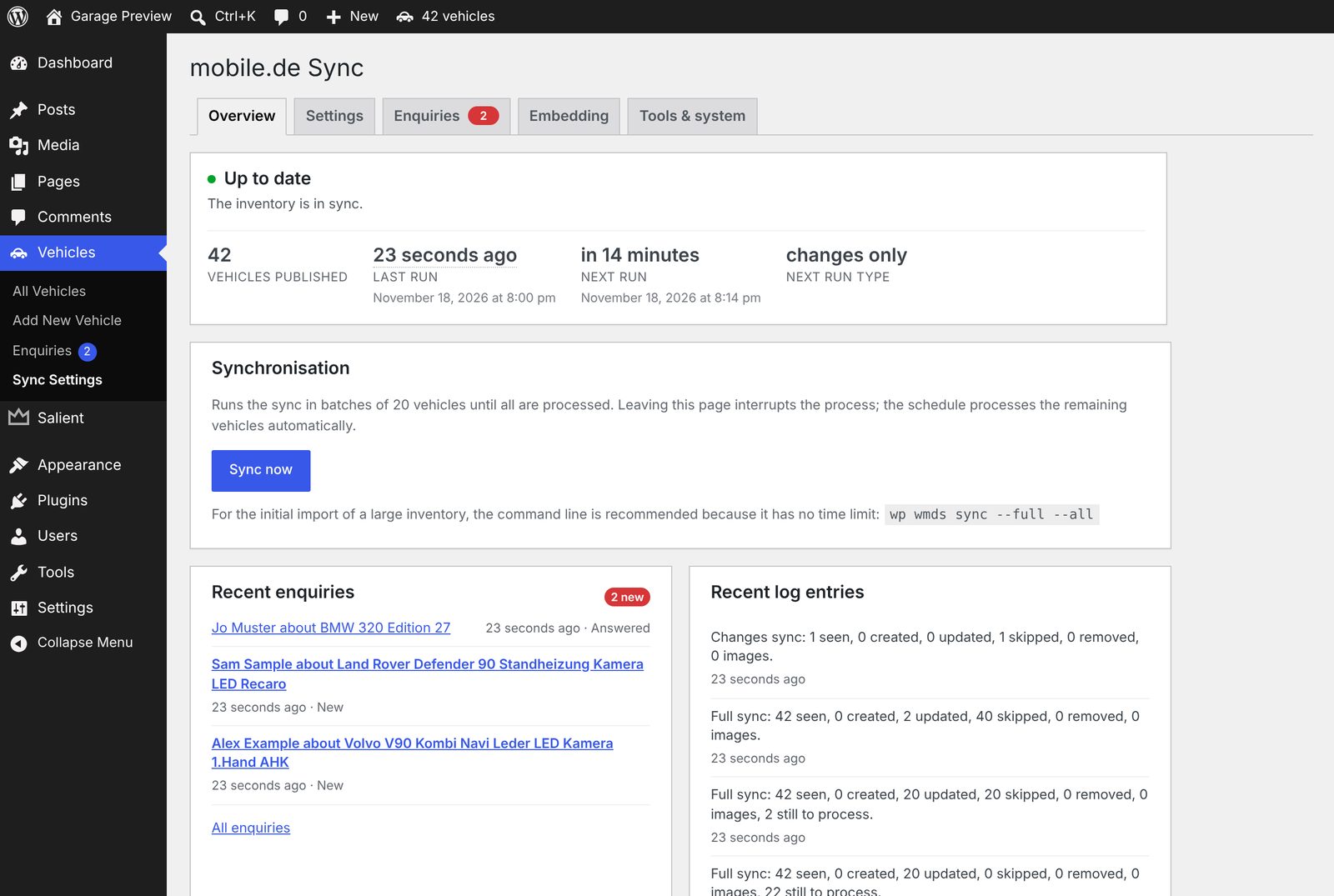
- Every enquiry is also stored in WordPress, marked new until answered, with a count in the menu and a reply button.
- Spam protection without captcha: honeypot, minimum fill time, rate limit, an ALTCHA-style proof of work, spam words and a blocklist that learns from "Mark as spam". Spam is kept aside, mailed to nobody and deleted after 30 days.
- Contact Form 7 integration and a mail-delivery check with test mail.
An admin that tells you what is going on
- One health verdict everywhere: admin bar, dashboard widget, notice, overview tab.
- Five tabs: Overview · Settings · Enquiries · Embedding · Tools & system.
- WP-CLI for the initial import and for scripts.
Recent releases
2.6.0
- Proof of work on the enquiry form
- Spam status for enquiries
- Mark as spam / Not spam
- Enquiries that were not mailed
- 1 more
2.5.1
- Make logos stay centred in their circle inside page-builder columns
Requirements
| WordPress | 5.8 or newer — classic and block themes |
| PHP | 7.0 or newer (CI runs 7.0, 7.4 and 8.3) |
| PHP extensions | json, curl or allow_url_fopen, gd or imagick |
| mobile.de | Search API access (username, password) and the dealer's seller ID |
| Network | outbound HTTPS to services.mobile.de |
Getting started
- Install — download
wp-mobile-de-sync.zipfrom the latest release and upload it under Plugins → Add New → Upload Plugin. Updates then arrive like any other plugin update. - Connect — Vehicles → Sync Settings → Settings: API username, password and seller ID.
- Test — Tools & system → Test connection should answer Connection OK – N vehicles in the inventory.
- Import — Overview → Sync now, or for a large inventory on the command line:
wp wmds sync --full --all - Done — the vehicles are at
/fahrzeuge/, and the schedule keeps them current.
The overview carries a checklist through these steps until the first import has run. Deactivate any other mobile.de importer first: two importers on the same post type overwrite each other.
How the sync works
flowchart LR
    A[Scheduled run] --> B[Listings changed<br>since the last run]
    B --> C{Same number of vehicles<br>as on mobile.de?}
    C -- yes --> D[Write the changes]
    C -- no --> E[Read the full listing]
    E --> F[Remove what is gone<br>and write the changes]
    D --> G[(Vehicles in WordPress)]
    F --> G
A run fetches only what changed since the last one, then asks mobile.de for the size of the whole inventory in one small request. If the site would not hold the same number afterwards, the run reads the full listing and removes the vehicles that are gone — so a sold vehicle leaves the site with the next scheduled run. Once a day a full reconciliation runs in any case. Removed vehicles go to the trash and their pictures are deleted.
More in docs/sync.md: scheduling with a real cron job, the safety guards, error handling and the e-mail alerts.
On your site
The overview at /fahrzeuge/ and every vehicle page work without anything to
set up. To place vehicles anywhere else:
| Block (inserter → mobile.de Sync) | Shortcode |
|---|---|
| Vehicles | [vehicles posts_per_page="6" columns="3"] |
| Vehicle filter | [vehicle-filter layout="sidebar"] |
| Vehicle count | [vehicle-count] |
| Vehicle enquiry | [vehicle-enquiry] |
[vehicles filters="yes" pagination="yes" posts_per_page="12"]
[vehicles make="Audi" fuel="Diesel"]
[vehicle-logo make="BMW" width="40"]
Templates, styling, filters and structured data: docs/website.md.
Documentation
- Sync
- Schedule, cron, removal guards, error handling, alerts, WP-CLI, limits
- Website
- Templates, styling, filters, shortcodes, blocks, logos, structured data
- Enquiries
- The enquiry form, status and replies, Contact Form 7, mail delivery
- Admin
- The settings tabs, admin bar, dashboard widget, vehicle list
- Hooks
- Every filter and action the plugin offers
- Development
- Architecture, tests, translations, releasing
- Changelog
- Every release, newest first
Language
The plugin is written in English and ships with a German translation. Vehicle labels (fuel, transmission, colours …) come from mobile.de in the language set under Settings, by default the site language.
Development
sh tests/run.sh               # all tests — no WordPress, PHPUnit or Composer needed
sh tests/integration/run.sh   # end to end against a real WordPress and a mock API
composer install && composer lint
See docs/development.md for how the code is put together, and AGENTS.md for the rules every change follows.